10 KDP Interior Bundle: Streamlining Low-Content Publishing Workflows
Building a sustainable Amazon KDP business requires balancing creative output with operational efficiency. For publishers managing multiple titles or looking to scale their catalog, the bottleneck is often interior design and formatting. The 10 KDP Interior Bundle addresses this friction point by providing pre-formatted, high-resolution templates across multiple file types. Rather than designing from scratch for every new project, this resource integrates into your publishing workflow as a foundational asset library, allowing you to focus on niche research, cover design, and marketing strategy.
This bundle is not merely a collection of files; it is a system for standardizing production. By securing assets in AI, PPT, EPS, PDF, PNG, and JPG formats, publishers gain the flexibility to edit, customize, or upload directly depending on their current technical setup and project requirements. Understanding how to leverage these formats within a broader publishing process is essential for maximizing return on investment and maintaining quality consistency across your portfolio.
Integrating Multi-Format Assets into Your Production Pipeline
Different stages of the publishing process demand different file specifications. Having access to a diverse range of formats ensures that the 10 KDP Interior Bundle remains useful whether you are in the rapid prototyping phase or finalizing a book for print. Each format serves a distinct function in a professional workflow.
Editable Source Files for Customization
The inclusion of AI (Adobe Illustrator) and EPS files provides vector-based source material. These are critical for publishers who need to modify layout structures, adjust margins, or rebrand interiors for specific niches. Vector files ensure that lines and text remain crisp at any trim size, preventing pixelation issues that frequently cause KDP rejection. During the customization phase, these files allow you to add unique elements—such as custom headers, branded footers, or niche-specific prompts—without degrading image quality.
Rapid Deployment with PPT and PDF
For publishers who do not use Adobe Creative Cloud or need faster turnaround times, the PPT (PowerPoint) files offer an accessible editing environment. PowerPoint is surprisingly robust for low-content book layout, allowing for easy text manipulation and slide-based page management. Meanwhile, the 100 ready-to-upload PDF files serve as the final execution layer. These have been tested against Amazon KDP’s printing specifications, reducing the risk of formatting errors. When time is the primary constraint, these pre-validated PDFs enable immediate listing creation, bypassing the formatting validation loop entirely.
Visual Assets for Marketing and Previews
The PNG and JPG files extend the utility of the bundle beyond the book interior itself. High-resolution raster images are essential for creating A+ Content, social media mockups, and advertising creatives. Using consistent visual assets from the interior for your external marketing creates brand cohesion and helps potential buyers understand exactly what they are purchasing. This alignment between product and promotion reduces return rates and improves conversion.
Niche Versatility and Strategic Application
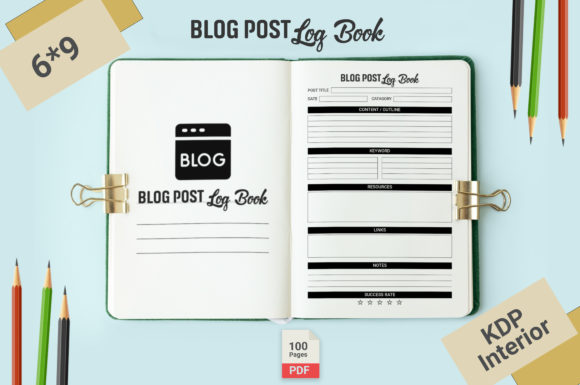
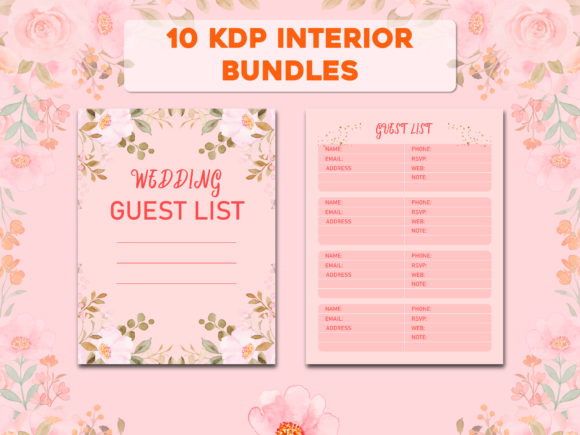
A common mistake in low-content publishing is treating interiors as generic commodities. The true value of this bundle lies in its niche diversity, which supports a segmented publishing strategy. The included templates cover high-demand categories such as Blog Post Planners, Cocktail Journals, Daily Schedules, To-Do Lists, Floral Planners, Hearts Printables, Pottery Records, Productivity Planners, Water Challenge Trackers, Wedding Guest Books, and Weekly Meal Planners.
This variety allows for two distinct workflow approaches:
- Vertical Scaling: Select one niche, such as the Cocktail Journal, and create multiple variations using the editable AI or PPT files. You can adjust page counts, add recipe index sections, or tailor prompts for specific sub-niches like mixology or wine tasting.
- Horizontal Testing: Use the ready-made PDFs to quickly test market demand across multiple categories. Upload the Floral Planner, Pottery Record, and Water Challenge Tracker simultaneously to gather data on which niches perform best before investing time in deep customization.
By mapping these templates to specific user intents, you move beyond saturated general planner markets. A Pottery Record serves a completely different audience than a Wedding Guest Book, yet both can be produced with equal efficiency using the same bundled infrastructure. This versatility makes the bundle a long-term asset rather than a single-use purchase.
Quality Control and Platform Compatibility
Even with pre-tested templates, integrating third-party assets requires a verification step. While the 10 KDP Interior Bundle is marketed as fully tested for Amazon KDP, responsible publishers should implement a personal quality assurance protocol. This protects your account health and ensures customer satisfaction.
- Bleed and Margin Verification: Always download the latest KDP template generator for your specific trim size and overlay it on the provided PDF. Printing specifications can change, and verifying safe zones prevents content from being trimmed during production.
- Resolution Check: Ensure all edited exports maintain 300 DPI minimum. If you resize elements in PowerPoint or export from Illustrator, confirm the output settings. Low-resolution interiors result in poor print quality and negative reviews.
- Metadata Alignment: Verify that the interior content matches your title, subtitle, and backend keywords. A "Daily Schedule" interior should not be listed under "Undated Journal" if the pages contain hourly time blocks. Consistency between metadata and interior reduces customer confusion.
- Proof Copy Review: Before scaling ad spend or launching a series, order a physical proof. Digital previews cannot replicate paper opacity, binding tightness, or color accuracy. Physical validation is the final step in integrating any new template system.
Workflow Efficiency and Long-Term Asset Management
To maximize the ROI of this bundle, organize the files systematically upon download. Create a master directory structure separated by format and niche. Maintaining original source files separately from working copies prevents accidental overwrites and preserves clean templates for future projects.
Consider establishing a naming convention that includes niche, trim size, page count, and version number. For example: CocktailJournal_6x9_120pg_v2_AI.ai. This level of organization becomes invaluable as your catalog grows and you need to locate specific assets for updates or series expansions.
The bundle also facilitates batch processing. If you use tools like Book Bolt, Publisher Rocket, or Canva alongside these templates, you can create standardized workflows. Export customized interiors from Illustrator, combine them with covers in Canva or Affinity Publisher, and upload via KDP’s bulk upload tools where available. The multi-format nature of this bundle means it slots into existing tech stacks rather than forcing you to adopt new software.
Scaling Beyond the Initial Download
While the 10 KDP Interior Bundle provides immediate inventory, sustainable growth requires iterative improvement. Use sales data and customer feedback to refine the templates over time. If buyers consistently request more tracking pages in the Water Challenge Tracker, use the AI file to create an expanded edition. If the Wedding Guest Book receives positive reviews for its layout but requests for additional photo pages, develop a premium version.
This approach transforms static templates into evolving products. The initial bundle serves as your baseline; your market intelligence drives subsequent versions. Publishers who treat these assets as starting points rather than finished products consistently outperform those who simply upload and forget.
Additionally, monitor seasonal trends. The Floral Planner may peak in Q4 for New Year planning, while the Wedding Guest Book performs best in spring. Schedule your uploads and marketing campaigns around these cycles. Having pre-formatted interiors allows you to capitalize on seasonal windows without last-minute design crunches.
Practical Implementation Considerations
When incorporating this bundle into your business, consider licensing and differentiation. Always verify the commercial usage rights included with your purchase. Most bundles permit unlimited end-product sales but prohibit reselling the templates themselves. Adhering to these terms protects your business from legal complications.
Differentiation is equally important. Because other publishers may own the same bundle, your competitive advantage comes from customization. Even minor modifications—changing fonts, adjusting line weights, adding introductory pages, or combining multiple templates into hybrid journals—create unique products that stand out in search results. The editable AI and PPT files exist specifically for this purpose.
Finally, track performance metrics per template type. Maintain a spreadsheet noting which interiors generate sales, which require advertising support, and which underperform. This data informs future bundle purchases and custom design investments. Over time, you will identify which niches and formats align with your audience, allowing you to allocate resources more effectively.
The 10 KDP Interior Bundle represents a practical solution for publishers seeking to balance quality with velocity. By understanding each format’s role, implementing systematic quality checks, and treating templates as customizable foundations rather than final products, you integrate this resource into a scalable, sustainable publishing operation. Success in low-content publishing comes not from having the most templates, but from deploying them strategically within a disciplined workflow.