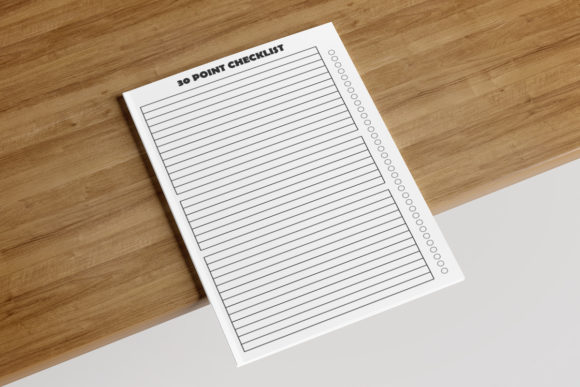
30 Point Checklist: KDP Interior Essentials
Creating a functional and compliant book interior for Amazon KDP requires precision, regardless of whether you are publishing a complex technical manual or a simple daily journal. The 30 Point Checklist serves as a comprehensive quality assurance framework designed to bridge the gap between creative intent and technical execution. At its core, this checklist validates that your manuscript meets specific production standards before it ever reaches the upload portal. For many creators, this tool is not merely about avoiding rejection emails; it is about establishing a repeatable workflow that ensures consistency across multiple titles.
The value of this verification process shifts depending on who is using it. A first-time self-publisher might view the checklist as a safety net against formatting errors, while an established publishing house uses it as a standard operating procedure to maintain brand integrity. Understanding these nuances helps determine how strictly you should adhere to each point and where you might have room for creative deviation within the technical constraints.
Technical Specifications as a Foundation
The most critical aspect of any KDP interior is adherence to physical dimensions and file requirements. The 30 Point Checklist prioritizes these non-negotiable elements because they form the skeleton of your project. Specifically, verifying the 8.5″ x 11″ inches dimension is essential for standard workbook, planner, or activity book formats. This size offers ample white space and readability, making it a preferred choice for educational materials and interactive journals. However, confirming this dimension isn't just about setting up your document; it involves ensuring your export settings match your layout canvas exactly to prevent unwanted scaling during printing.
Page count validation is another pillar of technical compliance. With a target of 110 pages, creators must balance content density with spine width requirements. For beginners, hitting this specific page count often feels like a math problem, but for professionals, it represents a strategic decision regarding perceived value and printing costs. The checklist reminds users to account for front matter, back matter, and blank pages needed for double-sided printing. Furthermore, the No Bleed setting dictates how close content can sit to the edge of the paper. Misunderstanding bleed settings is the single most common cause of KDP rejection. This checklist item forces creators to verify their safe zones, ensuring text and vital graphics remain well within the printable area.
File Formats and Resolution Standards
Digital assets degrade if not managed correctly, which is why format and resolution occupy significant real estate in the 30 Point Checklist. While KDP ultimately requires a PDF for print interiors, the ability to work in AI (Adobe Illustrator), JPEG, or PDF source files provides necessary flexibility. Experienced designers often prefer AI files for vector-based layouts because they allow for infinite scalability without quality loss. Conversely, hobbyists or marketers using template-based tools may rely heavily on high-resolution JPEGs for cover elements or decorative inserts.
The requirement for high-resolution assets cannot be overstated. Screen resolution (72 DPI) looks crisp on a monitor but appears pixelated and unprofessional in print. The checklist prompts users to verify that all images are at least 300 DPI at their final print size. This distinction matters profoundly for different audiences. An educator creating a coloring book needs razor-sharp lines for student satisfaction, while a business owner producing a corporate report needs clean typography to maintain authority. By standardizing resolution checks, the 30 Point Checklist prevents the embarrassment of receiving a physical proof that looks blurry or amateurish.
Customization and Workflow Efficiency
Beyond technical specs, the checklist addresses the practical reality of content creation: the need for speed and adaptability. The notes that you can easily customize and easily edit the interior highlight a shift toward modular design. For freelancers managing multiple clients, this editability is a revenue multiplier. Instead of rebuilding a planner from scratch for every customer, they can use a verified master file that already passes the 30 Point Checklist, swapping out logos, dates, or prompts as needed.
This emphasis on customization also benefits consumers and hobbyists who purchase KDP interiors as templates. They aren't looking for a finished product; they are looking for a starting point that won't break when they modify it. The checklist assures them that the underlying structure is sound. Similarly, for entrepreneurs testing niche markets, the ability to quickly iterate on a unique page design allows for rapid A/B testing of concepts without risking technical failures. The "Unique Page" criterion specifically encourages differentiation in a saturated market, pushing creators to move beyond generic stock layouts while maintaining structural integrity.
Evaluating Relevance Across Experience Levels
Determining whether this specific checklist aligns with your current project requires honest self-assessment. Beginners often prioritize ease of use and cost above all else. For this group, the 30 Point Checklist acts as an educational curriculum. Each point teaches a lesson about print production that would otherwise be learned through costly trial and error. If you are new to KDP, focus heavily on the dimension, bleed, and file format sections first. These are the gatekeepers to publication.
Intermediate creators and small business owners tend to prioritize reliability and commercial value. You likely understand the basics but struggle with consistency across a series of books. Here, the checklist serves as a quality control protocol. You might care less about learning what "no bleed" means and more about verifying that your entire catalog adheres to the same standard. The editability and unique page aspects become paramount here, as they directly impact your ability to scale your publishing business efficiently.
Professionals and agencies view the checklist through the lens of risk management and client deliverables. Your priority is presentation and long-term usefulness. You need to know that the 110-page count is optimized for royalty thresholds and that the high-resolution requirement protects your reputation. For this audience, the checklist is often integrated into project management software or handed off to junior designers as a mandatory sign-off sheet before final review.
Practical Application for Diverse Projects
The versatility of the 30 Point Checklist becomes apparent when applied to specific use cases. Consider an educator developing a homeschool curriculum. The 8.5″ x 11″ size is non-negotiable for compatibility with standard binders and folders. The no-bleed setting ensures that hole punching won't destroy instructional content. For this user, the checklist validates utility over aesthetics.
Contrast this with a lifestyle blogger launching a branded gratitude journal. Their primary concern is the unique page design and high-resolution floral elements. They rely on the customization notes to ensure their vision translates to print without losing the ethereal quality of their digital mockups. The checklist helps them communicate technical needs to a ghostwriter or formatter, bridging the gap between creative vision and manufacturing reality.
For marketers creating lead magnets or low-content books to support a larger funnel, speed and compliance are key. They utilize the pre-set 110-page count and editable formats to launch products quickly. The checklist reduces cognitive load, allowing them to focus on keyword research and advertising rather than margin calculations. In every scenario, the 30 Point Checklist transforms abstract KDP guidelines into actionable, project-specific tasks.
Making the Final Decision
Ultimately, adopting this checklist depends on your tolerance for error and your production volume. If you are publishing a single memoir and have hired a professional formatter, you may only need to spot-check these items. However, if you are building a library of interactive notebooks, educational resources, or commercial planners, the 30 Point Checklist is indispensable. It standardizes the variables that cause the most friction in self-publishing.
Ask yourself if your current workflow accounts for the specific interplay between dimensions, bleed settings, and file resolution. If you have ever faced rejected manuscripts or received negative reviews regarding print quality, this structured approach offers a remedy. It moves quality assurance from an afterthought to a foundational step. Whether you are a solo creator seeking professionalism or a business optimizing for scale, integrating these thirty points into your pre-flight process ensures that your creative energy is spent on content, not troubleshooting technical rejections.